Insane 8K AI Myth Sculptures: Pro Secrets for Ultra-Real Art.
27 Apr 2026
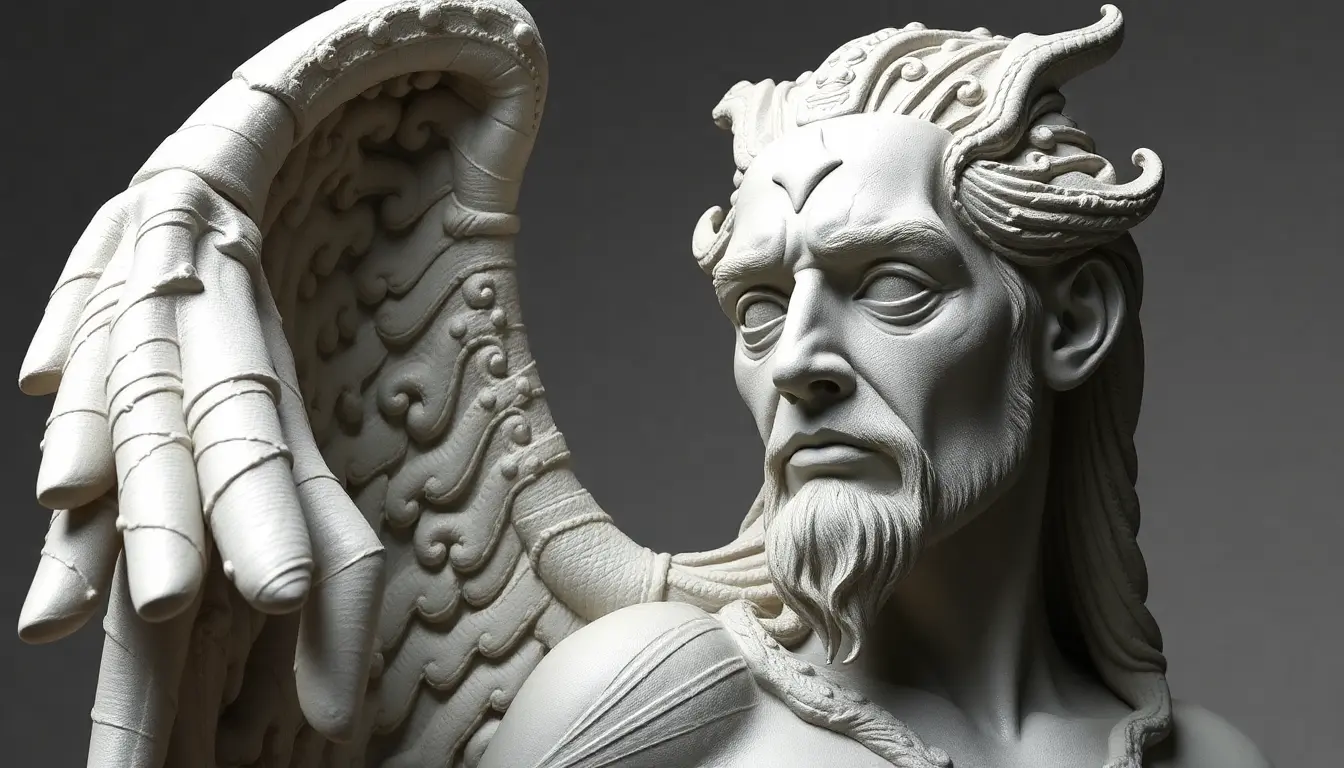
Master the Pantheon. Create insane 8K AI mythological sculptures that look like real marble and bronze statues. This guide shows the exact workflow—prompts, lighting, and 8K upscaling—to turn basic AI images into ultra-real, museum-quality art.
Why 8K AI Myth Sculptures Are Exploding
Sculptural myth AI art is dominating because it blends:
- Mythological storytelling
- Hyper-real sculptural detail
- Ultra-HD (8K) outputs
But most AI sculptures still look fake or plastic. Fix that first:
👉 Why AI Sculptures Look Plastic (And How to Fix It)
The Real Secret: It’s Not Just the Prompt
High-end results come from combining three things:
- Structured sculptural prompts
- Controlled lighting
- Proper 8K upscaling
If you’re new to this style, start here:
👉 Complete Sculptural Myth AI Guide
Step 1: Generate a Strong Base Image
Use a tool designed specifically for sculptural myth styles:
👉 Sculptural Myth AI Art Generator
Focus on:
- Clear subject (Zeus, Athena, Hades)
- Strong pose and composition
- Clean lighting base
Step 2: Use High-Quality Sculptural Prompts
Instead of random prompts, use structured ones with sculptural detail.
Start with these optimized libraries:
These are already tuned for realism, anatomy, and material detail.
Step 3: Master Lighting for Depth
Lighting is what makes your sculpture feel real.
Learn the full breakdown here:
👉 Sculptural AI Lighting Guide
- Directional light for depth
- Strong shadows for contrast
- Volumetric effects for atmosphere
Step 4: Upscale to True 8K
Your base image is only half the job.
Turn it into ultra-HD here:
This step will:
- Enhance fine sculptural details
- Sharpen edges
- Improve marble and bronze textures
- Deliver true 8K output
Step 5: Add Final Realism Touches
Push your image to pro level with:
- High contrast adjustments
- Subtle grain for realism
- Museum-style backgrounds
For deeper realism techniques:
10 Insane 8K AI Myth Sculpture Ideas
- Zeus marble statue with lightning energy
- Athena war goddess in neoclassical style
- Hades dark underworld marble sculpture
- Poseidon ocean god with water textures
- Apollo radiant sunlight statue
- Ares battle-worn bronze sculpture
- Hermes dynamic motion statue
- Dionysus expressive artistic sculpture
- Hera royal divine figure
- Hybrid mythological god concept
Final Thoughts
Anyone can generate AI images. Very few can create ultra-real 8K mythological sculptures.
The difference is process:
- Better prompts
- Better lighting
- Better upscaling
Follow this workflow and your results won’t just look good—they’ll look legendary.
Start Creating
FAQs: 8K AI Myth Sculptures
How do I create ultra-real 8K AI myth sculptures?
Start with a strong sculptural prompt, generate a clean base image, and then upscale it using an AI upscaler. For best results, use a structured workflow with proper lighting and material keywords. 👉 Use 8K AI Upscaler
Why do my AI sculptures look plastic or fake?
This usually happens بسبب poor lighting, weak prompts, or lack of texture detail. Adding sculptural keywords like marble, bronze, and chiseled details can significantly improve realism. 👉 Fix plastic-looking AI art
Which prompts work best for mythological AI sculptures?
Structured prompts with material, lighting, and style details work best. Instead of basic prompts, use optimized libraries designed for sculptural realism. 👉 Explore Zeus AI prompts
Can I generate true 8K images directly with AI?
Most AI tools generate lower-resolution images. True 8K quality is usually achieved through high-quality upscaling after generation.
What makes sculptural AI art look realistic?
Realism comes from three key factors: lighting, texture detail, and depth. Using cinematic lighting and high-contrast shadows can dramatically improve results.
Want to try it yourself? Head back to the generator and start creating.