Why Your Sculptural Myth AI Art Looks “Plastic” (3 Easy Fixes That Work)
26 Feb 2026
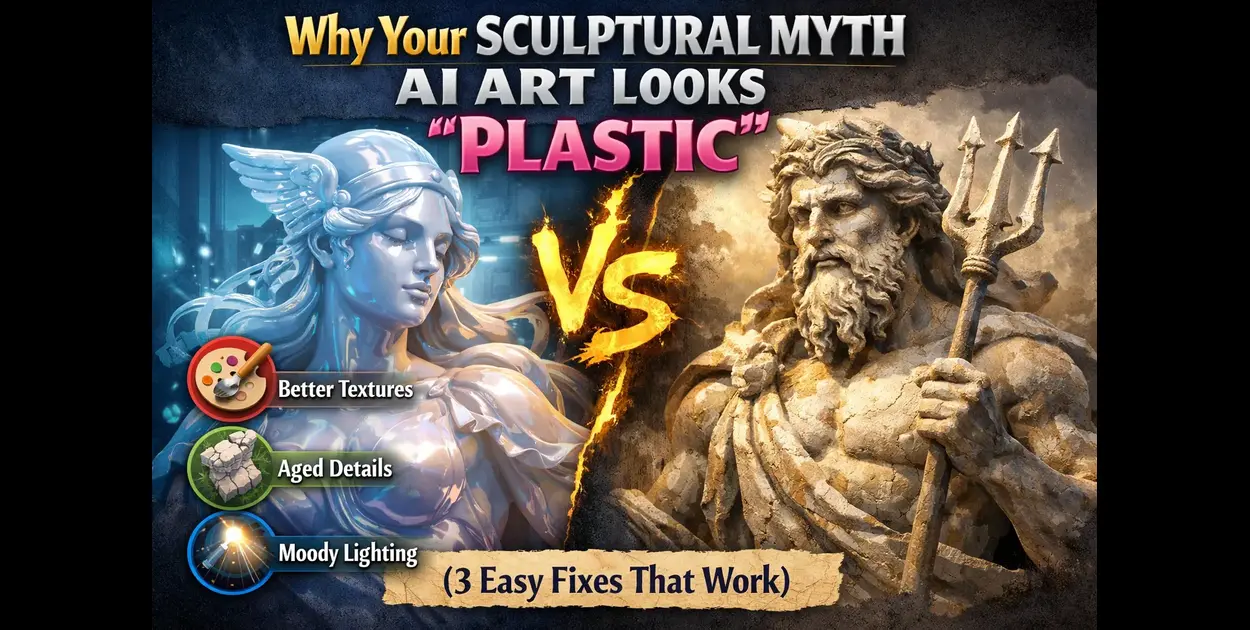
If your sculptural myth AI images look too smooth, shiny, or fake — you’re not alone.
Many beginners trying to generate Greek god or statue-style visuals end up with results that feel more like plastic toys than ancient marble or bronze sculptures.
The good news? You don’t need complex prompts to fix this.
In this guide, you’ll learn 3 simple realism tweaks that instantly improve your results.
👉 You can test these instantly using our sculptural myth AI generator.
Why Your AI Images Look “Plastic”
Before fixing the issue, let’s understand why it happens.
- No material definition (marble, bronze, jade missing)
- Flat lighting with no shadows
- Over-smooth textures (no imperfections)
- Lack of depth and contrast
These small mistakes make AI images look artificial instead of sculptural.
Fix #1: Add Real Material Details
The biggest mistake is not specifying the material.
Instead of writing:
Greek god statue
Use:
Greek god marble statue, carved stone texture, subtle cracks, aged surface
Or:
bronze warrior statue, oxidized patina, weathered metal texture
👉 Want ready-to-use prompts? Check out our 20 best sculptural myth AI prompts.
Fix #2: Use Proper Lighting (Game Changer)
Lighting is what separates realistic images from flat ones.
Add terms like:
- dramatic lighting
- cinematic shadows
- soft glow
- rim lighting
Example:
Greek god marble statue, dramatic lighting, deep shadows, cinematic composition
👉 Learn this deeply in our sculptural myth AI lighting guide.
Fix #3: Add Imperfections & Depth
Perfect surfaces look fake. Real sculptures have flaws.
Add details like:
- cracks
- chisel marks
- weathered edges
- dust or erosion
Example:
ancient marble statue, cracked surface, worn edges, realistic texture, depth shadows
This instantly removes the “plastic” feel.
Before vs After Prompt
Before:
Greek god statue
After:
Greek god marble statue, carved details, aged stone texture, cracks, dramatic lighting, deep shadows
👉 Test this yourself here: create realistic sculptural myth AI images
Bonus Tip: Keep It Simple
You don’t need long prompts.
Focus on:
- Material
- Lighting
- Texture
That’s enough to get high-quality results.
Now that you’ve fixed the “plastic” look, learn the full process in our Greek god AI sculptural myth guide.
Once your lighting is correct, your sculptural myth AI images will look much more like real marble or bronze statues. If you want to take it even further, you can convert those images into real physical statues using 3D printing. Follow this complete AI Art to 3D Print step-by-step guide to turn mythological AI images into printable 3D statue models.
Final Thoughts
If your AI images look plastic, it’s not the tool — it’s the prompt.
By adding:
- Real materials
- Strong lighting
- Natural imperfections
You can instantly create realistic sculptural myth AI art.
👉 Try it now using our free sculptural myth AI generator.
Frequently Asked Questions
Why do my AI images look fake?
Because they lack material details, lighting, and texture. Adding these improves realism instantly.
What is the best material for realistic AI statues?
Marble and bronze work best because they add natural depth and texture.
How do I make AI images more realistic?
Use detailed prompts with lighting, material, and imperfections.
Want to try it yourself? Head back to the generator and start creating.