AI Art to 3D Print: How to Turn Mythological AI Images into Realistic Statues (Step-by-Step Guide)
04 Mar 2026
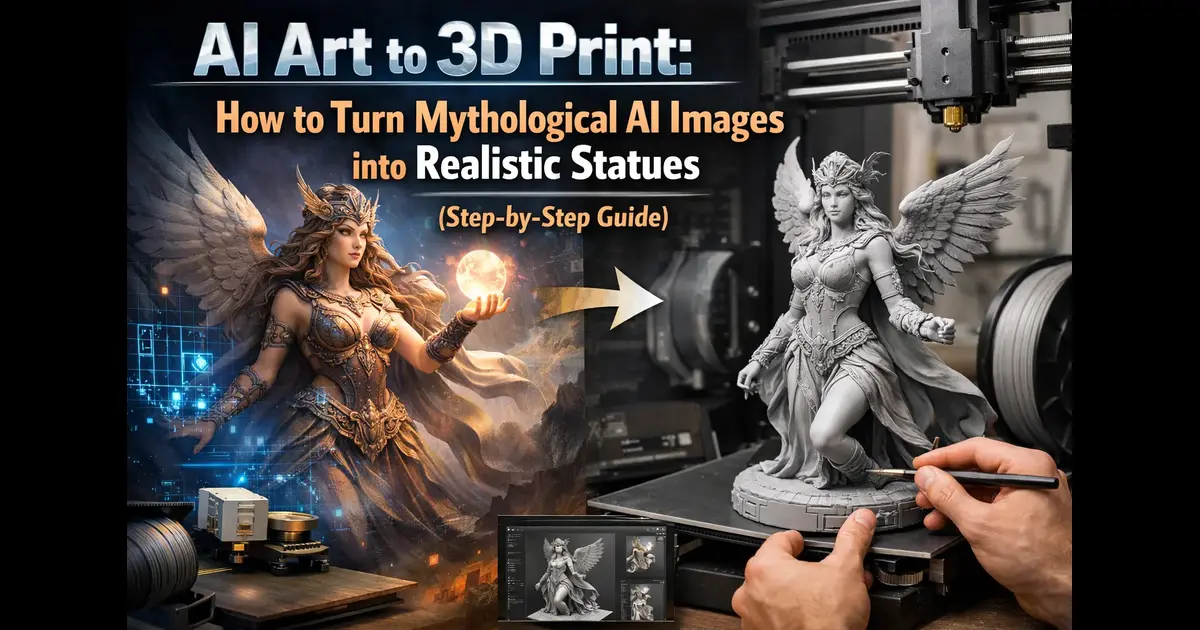
AI-generated mythological art is no longer just digital — you can now turn it into real, physical statues using 3D printing. If you’ve created Greek gods, warriors, or sculptural myth images, this guide will show you how to convert them into printable models step-by-step.
👉 Want to generate your base image first? Use our sculptural myth AI generator.
What You Need Before Converting AI Art to 3D
- High-quality AI-generated image (Greek god, statue, warrior)
- Clear lighting and strong structure
- Defined material (marble, bronze, stone)
👉 If your images look unrealistic, fix them here: why AI art looks plastic (and how to fix it)
Step 1: Generate a Strong Base Image
Everything starts with the right prompt. Your image must have depth, texture, and structure.
👉 Learn prompt techniques here: sculptural myth AI prompts guide
Example prompt:
Greek god statue, marble texture, ultra detailed, dramatic lighting, strong shadows, cinematic composition, realistic anatomy
Step 2: Optimize Lighting for Depth
Lighting directly affects how well your image converts into 3D.
- Use side lighting for shadows
- Avoid flat front lighting
- Add contrast for depth mapping
👉 Full lighting guide: sculptural myth lighting techniques
Step 3: Convert Image to 3D Model
Use tools like:
- Meshy AI
- Luma AI
- Smoothie-3D
Upload your image → generate mesh → export as STL/OBJ.
Step 4: Refine the 3D Model
Raw AI-to-3D outputs are not perfect. You’ll need to clean them.
- Fix broken edges
- Smooth surfaces
- Enhance details
Use tools like Blender for refinement.
Step 5: Prepare for 3D Printing
- Export as STL file
- Adjust scale
- Add supports if needed
Now your model is ready for printing.
Best Practices for Realistic Statue Results
- Always use sculptural myth style prompts
- Focus on materials (marble, bronze)
- Keep anatomy strong and defined
- Use dramatic lighting
👉 Learn full sculptural myth workflow here: Greek god AI sculptural myth guide
Common Mistakes to Avoid
- Using flat or low-detail images
- Ignoring lighting
- Overloading prompts
- Skipping refinement step
Start Creating Your Own AI Statues
Now you can turn your AI art into real-world sculptures.
👉 Create your base image here: generate sculptural myth AI images
Frequently Asked Questions
What is AI art to 3D printing?
It is the process of converting AI-generated images into 3D models that can be printed as physical objects.
Can I turn Greek god AI images into statues?
Yes — with proper prompts, lighting, and 3D tools, you can create realistic printable models.
Which tools are best for image to 3D conversion?
Meshy AI, Luma AI, and Blender are commonly used for this workflow.
Do I need technical skills for this?
Basic understanding helps, but many tools simplify the process significantly.
Why does my 3D model look bad?
Most issues come from weak prompts, flat lighting, or lack of refinement after conversion.
Want to try it yourself? Head back to the generator and start creating.